
UDID Card Download 2026: How to Download Your e-UDID Card Online
Are you waiting for your UDID card to arrive? Your UDID card has been created, but you have not received it yet. Don’t worry, you do not have to wait for your card anymore, as you can download your e-UDID card online. It is a digital card that works everywhere, so you do not need to carry your physical card.
In this article, we will guide you through the process of easily downloading your e-UDID card from the portal. It is a digital copy of your approved card and is accepted at all platforms for subsidy, government schemes, jobs, and other supported programs. The Government of India is transforming digitally and bringing ease to the lives of Indians by adopting technology in all fields.
You can download your card online from the official portal, DigiLocker, the official mobile app, or Aadhaar Card access. Read this guide to learn about all these methods to download your e-UDID Card, and also learn the troubleshooting of the most common issues faced while downloading the card.
When Can You Download Your UDID Card?
It is the most important and commonly asked question: when can we download your card? The answer is that you can download your card only when your application is accepted and the card is generated. To know the current status of your application, you can track it online. Visit the official portal and track the status of your application. For your reference, we are providing a table of responses and a card download option.
| Status Message on Portal | Can You Download? |
| Application Submitted | No |
| Under Verification | No |
| Medical Assessment Pending / Scheduled | No |
| Assessment Completed | No |
| Approved by Medical Authority | No |
| UDID Card Generated ✓ | YES |
| Card Printed ✓ | YES |
| Card Dispatched ✓ | YES |
| Delivered ✓ | YES |
Key takeaway:
As soon as your status changes to ‘UDID Card Generated’, you can download the digital e-UDID card immediately. You do not need to wait for the physical card to be printed or delivered. The e-UDID card is equally valid.
UDID Card vs. e-Disability Certificate
These are two different documents and are used for different purposes. Here, we have provided a brief introduction so you can easily understand them.
You can download these documents from “My Account” on the official portal.
What Do You Need to Download Your UDID Card?
You need the following information to download your e-UDID Card.
You need to have your mobile number registered with your Aadhaar card to download your card via DigiLocker.
How to Download the e-UDID Card?
You can easily download your digital card using various methods. Here, all possible methods for downloading a digital card are detailed. Read the entire process to adopt one at your convenience.
Method 1 — UDID Card Download via Official UDID Portal (PwD Login)
This is the most direct and reliable method to download your card online. You can download your card to your mobile, tablet, computer, or laptop with an active internet connection. Follow these simple steps to download quickly.
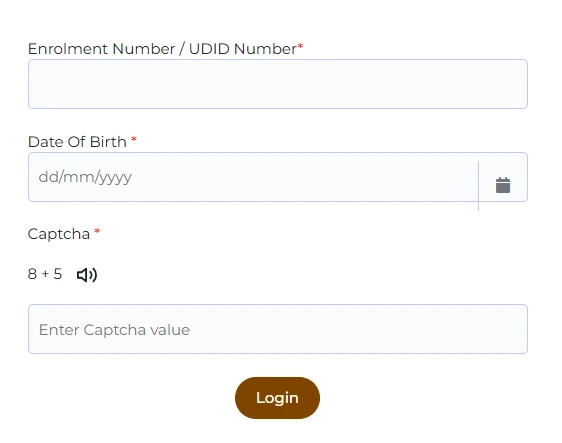
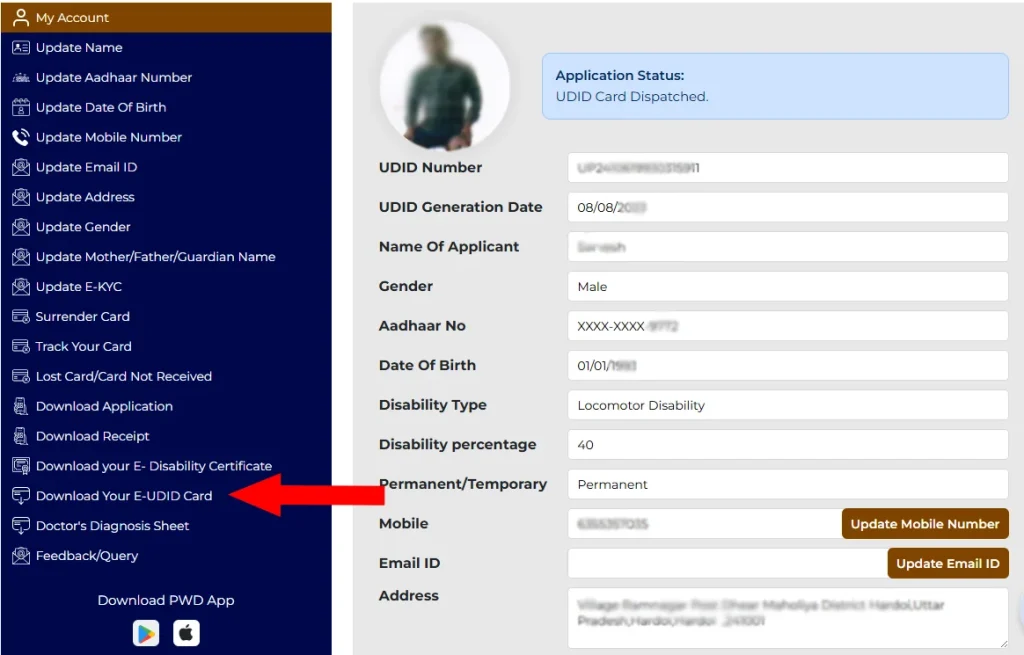
Pro tip: Download both the e-UDID Card and the e-Disability Certificate from the same dashboard — they serve different purposes, and you will need both when applying for government schemes.
Method 2 — e-UDID Card Download via DigiLocker
DigiLocker is an official platform where your UDID card and Disability Certificate are stored as digitally verified documents. This works with your mobile number, which is linked to your Aadhaar Card. Documents stored in DigiLocker are legally valid under the Information Technology Act, 2000.
Website Method
You can download your card and certificate from the official web portal. To do so, follow these steps.
Mobile App Method
You can also download your card and certificate using the official mobile app. Follow these instructions to download the card from the app.
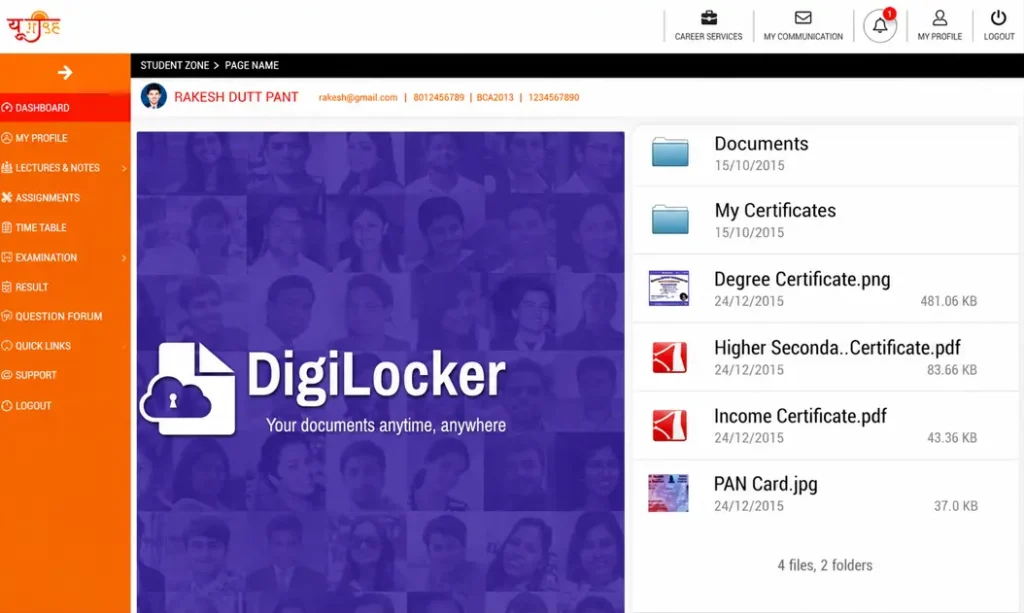
Why DigiLocker is the best long-term method: Once your UDID card is linked to DigiLocker, it is always available from any device, at any time. You did not need to remember your Enrollment Number again. Many government portals now accept DigiLocker documents directly; you do not need to upload a physical copy.
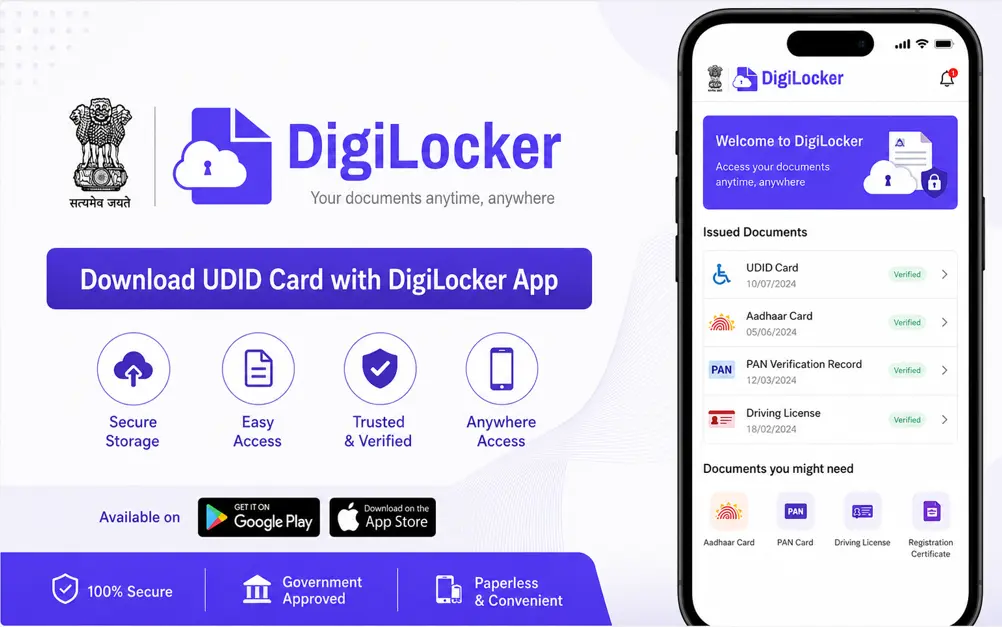
Method 3 — Download via the Official UDID Mobile App
The Indian Government has developed an official mobile app for Android users, available for download from the Google Play Store. It will work on your Android phone, and you do not need a browser. The app details are as follows:
App Name: UDID
Platform: Android
Developer: Department of Empowerment of Persons with Disabilities
Price: Free
Steps to Download Your UDID Card via the App
You need to follow these steps to download your card or certificate:
Android only: As of June 2026, the official UDID app is available only on Android (Google Play Store). iPhone users should use Method 1 (portal via browser) or Method 2 (DigiLocker app, which is available on iOS).
e-UDID Card vs Physical UDID Card — Is the Download Legally Valid?
It is the most common question asked by cardholders: whether the e-UDID card is as valid as a physical UDID Card. The answer is simple ‘yes’, it is equally valid for all purposes. You may need your physical card if it is required for in-person verifications.
| Feature | e-UDID Card (PDF) | Physical UDID Card |
| Legal validity | 100% valid across India | 100% valid across India |
| Availability | Immediately upon generation | Arrives by post after printing |
| Government schemes | Accepted at all central portals | Accepted everywhere |
| Travel concessions | Accepted by the railways, most state transport | Accepted everywhere |
| Format | PDF — print or show on screen | Smart card with a chip |
| If lost | Re-download instantly | Apply for a duplicate — takes weeks |
| Best for | Daily digital submissions, online portals | In-person verification |
Official confirmation: The e-UDID card is valid under the Rights of Persons with Disabilities Act, 2016. DigiLocker documents are legally valid under the Information Technology Act, 2000. There is no difference in legal status between the digital and physical cards.
How to Print Your Downloaded UDID Card
When you download your card using any of the methods mentioned above, you need to print it to use as your UDID card. The card is downloaded as a PDF, which is designed to print on standard A4 paper.
Recommended Print Settings
You can also laminate your printed card to keep it longer. When laminated, it can be used in a daily routine without fear of tearing or damage.
What Information Is on Your Downloaded UDID Card?
The downloaded card has all the valid information that you entered in your application. The card has the following information.
| Field | Details |
| UDID Number | Your unique 18-character disability ID |
| Full Name | As registered |
| Photograph | Uploaded during registration |
| Date of Birth | As registered |
| Gender | As registered |
| Address | Registered address |
| Disability Type | One or more of the 21 disabilities recognized under the RPwD Act, 2016 |
| Disability Percentage | Assessed by the medical board |
| Card Colour | White / Yellow / Blue, based on disability percentage |
| Card Validity | Permanent, or Temporary with an expiry date |
| QR Code | Scannable verification code |
| Issuing Authority | Chief Medical Officer / District Medical Officer |
Download Errors and How to Fix Them
The card download process is simple and smooth, but you may encounter an issue during download. Here are some issues and their fixes for your convenience, so that if you encounter any, you can fix them easily.
| Error / Problem | Likely Cause | How to Fix It |
| Login failed — Enrollment Number not recognized | Number entered with spaces, dashes, or wrong format | Enter the number exactly as shown on your SMS receipt. No spaces or dashes. Try copy-pasting if possible. |
| Login failed — Date of Birth mismatch | Date entered in the wrong format or doesn’t match registration | Try DD/MM/YYYY format. If you are unsure what date you registered, check your original application form. |
| Captcha error | Characters typed incorrectly; captcha image not loading | Click the refresh icon next to the captcha to get a new one. Use Google Chrome for the best CAPTCHA display. |
| PDF downloads, but it is blank | PDF reader issue, or the card image has not loaded | Open the PDF in Google Chrome’s built-in viewer or update Adobe Acrobat Reader. Try downloading again on a different browser. |
| The download button is not visible in My Account | Card has not yet been generated — status is still before ‘UDID Card Generated’ | Check your status on the Track Your Application page. If the status is below ‘UDID Card Generated’, the download will not be available yet. |
| Portal not loading / website down | Server maintenance or heavy traffic | Wait 30–60 minutes and try again. |
| The PDF file is corrupted or cannot be opened | Incomplete download due to an internet connection drop | Delete the downloaded file, then download it again over a stable connection. Try on a laptop rather than a mobile phone. |
| No Record Found in DigiLocker | UDID card not yet linked to DigiLocker, or UDID number entered incorrectly | Ensure your status shows ‘UDID Card Generated’ on the portal. |
| The e-UDID Card photo is missing or blurry | A low-resolution photo was uploaded during registration | The downloaded card reflects what was uploaded. Contact your district CMO office to request a photo update through the portal. |
Frequently Asked Questions (FAQs)
Conclusion
The e-UDID card download process is simple and fast, and you do not need to wait long for the physical card to arrive. You can use different methods to download the card instantly. When your status changes to ‘UDID Card Generated’, you can instantly download it and use it where you need.
It removes the wait and delay in delivering the physical card via postal services and can be used once generated. It is accepted at all government schemes, railways, buses, and other government schemes without any discrimination. The advantage is that if it is lost, you can easily reprint it without having to apply for a new card. Moreover, it is also present in your DigiLocker and accepted as an authentic digital document under the law.
Disclaimer: This is an independent informational guide published by udidcardsin.com. It is not affiliated with or endorsed by the Government of India or DEPwD. For official services, always visit swavlambancard.gov.in.